


14
Sep
A step-by-step troubleshooting guide for sign shops and print operators dealing with striped, streaky, or uneven prints on an eco-solvent printer.
QUICK ANSWER: Banding on an eco-solvent printer is almost always caused by one of five things: missing or deflected nozzles from a partial clog, incorrect media feed calibration, ink order inversion during bidirectional printing, wrong heater/drying settings for the media, or printing in a low-pass "fast" mode. Start with a nozzle check to rule out clogging, then move to feed calibration and bidirectional alignment before touching heater or pass-count settings. Most banding issues are fixed within 15–20 minutes once the actual cause is identified.
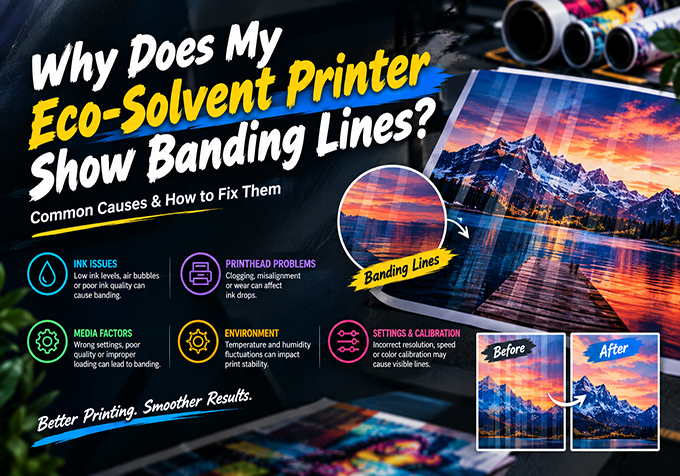
If your prints are coming out with visible horizontal stripes, alternating light and dark bands, or a "mowed lawn" pattern, you're dealing with banding — one of the most common quality issues on large format eco-solvent printers. The frustrating part is that banding can look almost identical across several very different causes, so fixing it starts with correctly diagnosing which type you're seeing.
This guide breaks down the real causes of banding on an eco-solvent printer, how to tell them apart, and the exact steps to fix each one — plus a quick-reference table for your production floor.
Not all banding looks the same, and the appearance is your first diagnostic clue:
| Cause | What It Looks Like | Quick Fix |
|---|---|---|
| Partial nozzle clog | Fine repeating white/dark hairlines | Run nozzle check; clean printhead if nozzles are missing |
| Media feed miscalibration | Regular stripes every few mm, nozzle check is clean | Run media feed/step calibration from printer menu |
| Bidirectional pass misalignment | Color shift or "mowed lawn" pattern | Run bidirectional (Bi-D) alignment test and adjust offset |
| Heater temperature too high/low | Broad soft bands, uneven gloss across the print | Match heater presets to media type per ICC profile |
| Printing in fast/draft/low-pass mode | Visible gaps in gradients and fills | Switch to a higher pass count (8-pass or higher) for critical jobs |
| Media tension or feed roller slip | Irregular, non-repeating bands | Check media tension, clean feed rollers, reload media straight |
| Low ink level in one channel | Color-specific banding (e.g., only cyan) | Check ink levels; replace or refill the affected channel |
Step 1 — Print a nozzle check pattern.
This is always the first step, even if you suspect another cause. A clean nozzle check rules out clogging and tells you to look at calibration instead. If nozzles are missing or firing at an angle, follow your printer's cleaning procedure before going further — banding that starts as a nozzle issue won't be fixed by calibration changes.
Step 2 — Confirm the pattern with a test print.
Print a CMYK gradient panel alongside solid color blocks. This makes banding easier to see and tells you whether it's color-specific (points to ink or nozzles) or uniform across all colors (points to feed or bidirectional alignment).
Step 3 — Run media feed calibration.
If the nozzle check is clean but you still see regular, repeating stripes, run the media advance/feed calibration function from your printer's maintenance menu. This corrects the exact distance the media moves between each printhead pass — even a fraction of a millimeter of drift causes visible banding on long print runs.
Step 4 — Check bidirectional (Bi-D) alignment.
Eco-solvent printers lay ink in one color order (CMYK) moving right, and the reverse order (KYMC) moving left during bidirectional printing. If the printhead timing is slightly off, this creates a subtle color shift between passes that reads as banding. Run the printer's Bi-D alignment test and adjust the offset until the test pattern lines up cleanly.
Step 5 — Review heater and drying settings.
If banding shows up as broad, soft bands rather than hairlines — especially on large gradients or solid fills — check that your heater settings (pre-heater, print heater, post-heater) match the media type in your RIP profile. Ink drying too fast or too slow between passes changes how each pass reflects light, which shows up as visible banding even with a perfect nozzle check.
Step 6 — Increase pass count for critical jobs.
Low pass counts (4-pass or fewer) push more ink through fewer passes, which is more prone to visible banding — especially on gradients. For client-facing or high-visibility jobs like vehicle wraps and backlit signage, an 8-pass or higher setting significantly reduces the risk, at the cost of print speed.
Step 7 — Inspect media tension and feed rollers.
If banding is irregular rather than evenly repeating, check that the media is loaded straight, tension is even across the roll, and feed rollers are free of dust or ink buildup. Uneven media tension causes inconsistent advance distances that calibration alone won't fix.
| Clogging | Banding | |
|---|---|---|
| What's happening | A nozzle simply isn't firing | Every nozzle fires, but at the wrong timing/position |
| How it looks | Missing ink in specific spots | A repeating pattern of stripes |
| Nozzle check result | Shows gaps/missing rows | Comes back clean |
| Correct fix | Cleaning cycle / manual cleaning | Feed or Bi-D calibration |
Running repeated cleaning cycles when the real cause is a calibration issue won't help, and will waste ink. For nozzle-clog-specific troubleshooting, see our guide on Eco-Solvent Printhead Clogging: Causes & Fixes.
Why does my eco-solvent printer show banding even after cleaning the printhead?
If banding persists after a clean nozzle check, the cause is almost always media feed calibration or bidirectional alignment, not the printhead itself. Cleaning only fixes clogging-related banding.
What is the "mowed lawn" banding pattern?
It's a visual effect where bidirectional passes create alternating light/dark bands that resemble mower stripes on a lawn, caused by slight timing or color-order differences between left-to-right and right-to-left passes.
Does increasing pass count fix banding?
It reduces the visibility of minor banding by spreading ink across more passes, but it won't fix an underlying calibration or nozzle problem — it's a mitigation, not a root-cause fix.
Can humidity or temperature cause banding?
Yes. Ink that dries too fast or too slow between passes due to heater settings or ambient conditions can create soft, broad banding across gradients, even with correct mechanical calibration.
How often should I run feed and Bi-D calibration?
Run both after any printhead replacement, after moving the printer, or if banding appears with a clean nozzle check. For machines in daily production, a monthly calibration check is a good baseline.
Still seeing banding after calibration?
Stormjet's technical support team can walk you through diagnosing the exact cause on your printer model and recommend the right calibration settings or ICC profile for your media.