


03
Nov
You load a roll of vinyl, start printing, and everything looks normal. Then, after a few minutes, you notice a wrinkle forming across the material. The vinyl begins to rise from the platen, the surface becomes uneven, and in some cases, the raised area may come dangerously close to the printhead.
This is more than a cosmetic problem. Wrinkled media can cause uneven printing, wasted material, interrupted production, and even a printhead strike if the material rises into the carriage path.
Why does vinyl wrinkle during eco-solvent printing, and how can you fix it? The key is to identify whether the problem comes from the media itself, incorrect loading, excessive tension, heating conditions, or the printer's feeding system.
Vinyl can wrinkle because of uneven roll tension, incorrect media loading, unsuitable platen or heater settings, poor media storage, excessive pressure, or an incompatible material structure.
What should you do first? Stop the print job if the media is rising or approaching the printhead. Check the roll condition, media loading, pinch rollers, tension, and heating settings before restarting. Never continue printing over a raised wrinkle.
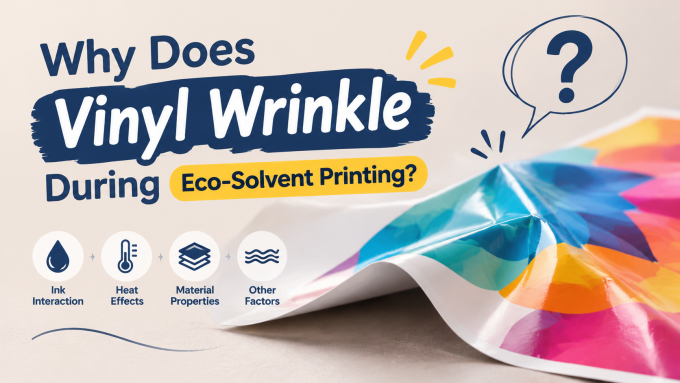
Not all media wrinkles have the same appearance. Identifying the pattern can help you narrow down the cause.
| Wrinkle Pattern | Possible Cause | First Check |
|---|---|---|
| Waves running across the media width | Uneven tension or media deformation | Supply roll and media tension |
| One edge curls or lifts | Edge curl, uneven winding, or storage damage | Roll condition and media storage |
| Wrinkles appear near the pinch rollers | Incorrect roller positioning or feeding pressure | Roller placement and media loading |
| Media gradually develops wrinkles during long jobs | Tension changes, heating, or take-up issues | Full media path and temperature settings |
| Media rises in the middle or forms a raised section | Buckling, uneven feeding, or media deformation | Stop printing and inspect immediately |
These patterns are useful starting points, but they do not prove a single cause. For example, heating and tension problems can occur together.
Uneven tension is one of the most important factors to investigate when a vinyl roll develops waves or wrinkles.
If the material is wound unevenly, or the supply roll does not unwind smoothly, different sections of the media may experience different levels of resistance. This can cause the material to buckle or form waves as it moves through the printer.
How to diagnose it:
How to fix it:
Do not simply increase the tension to flatten the vinyl. Excessive tension may stretch the material or create further feeding problems.
Pinch rollers help keep the media in contact with the printer's feeding mechanism. If they are positioned incorrectly, the material may be held unevenly.
This can lead to localized pressure, unstable feeding, and wrinkles around the roller contact areas.
How to fix it:
Never reposition rollers outside the manufacturer's designated areas. Different printer models have different roller layouts and pressure mechanisms.
Eco-solvent printers may use pre-heaters, platen heaters, and post-heaters to help manage media temperature and ink drying. Incorrect settings can contribute to media distortion, particularly when the material is sensitive to heat.
For example, some thin or heat-sensitive films may deform when exposed to unsuitable temperatures. In other situations, uneven heating across the media width may contribute to inconsistent media behavior.
How to diagnose it:
How to fix it:
There is no single heater temperature that works for every vinyl. Media composition, thickness, coating, printer design, and ink system all matter. Use the media manufacturer's recommendations and the printer supplier's approved settings as your starting point.
Not every vinyl material behaves the same way inside a wide-format printer.
Thin films, soft materials, and products with different backing or coating structures may react differently to feeding pressure, temperature, and tension.
If the media is too flexible for the selected feeding conditions, it may develop waves or wrinkles more easily.
How to fix it:
If several rolls of the same material show identical behavior while other materials feed normally, investigate media compatibility before making mechanical changes to the printer.
Vinyl can become distorted before it ever reaches the printer.
Long-term storage in unsuitable conditions, physical pressure, improper support, or damage during transportation may affect the shape of a roll. A material that has developed permanent edge curl or deformation may be difficult to feed flat.
How to fix it:
If the material is already permanently distorted, changing printer settings may not solve the problem. Replacing the damaged roll may be the most reliable option.
On printers equipped with an automatic take-up system, uneven winding or excessive pulling force may affect media handling.
If the take-up roll is not aligned correctly, the media may be pulled unevenly across its width. This can contribute to wrinkles, especially during long production jobs.
How to fix it:
If your printer allows a diagnostic test without the take-up system, perform it only according to the manufacturer's instructions. Compare the results to determine whether the take-up system contributes to the problem.
When wrinkles appear during production, avoid changing multiple settings at once. Use a systematic process to identify the cause.
If the vinyl is buckling, lifting, or approaching the printhead, stop the job immediately using the normal machine procedure. Do not allow the carriage to pass over raised material.
Look for edge curl, uneven winding, waves, physical damage, and wrinkles that existed before loading.
Confirm that the roll is correctly mounted, the material is positioned flat, and the pinch rollers are located correctly.
Check the supply roll, media supports, and take-up system. Look for excessive resistance or uneven pulling.
Compare the current settings with the recommended settings for your specific material and printer model.
If available, use another compatible roll. This helps determine whether the issue is related to the media or the machine.
Feed a short section of media and observe whether it remains flat. If the printer is stable, perform a small test print before restarting the full production job.
Write down the media type, machine settings, and changes made. This makes it easier to identify recurring problems and avoid repeating unsuccessful adjustments.
This situation requires special attention because raised media can collide with the printhead or carriage.
A printhead strike may cause damage to the printhead surface, nozzle plate, media, or other components, depending on the severity of the contact.
Follow these steps:
Never attempt to flatten raised media while the printer is operating. Do not reach into the carriage area or manually move internal components unless the manufacturer's maintenance procedure specifically permits it. If a printhead strike is suspected, request technical inspection before resuming production.
The best way to handle media wrinkles is to prevent them before they interrupt production.
Confirm the media's width, thickness, coating, flexibility, and application suitability. Ask your supplier for compatibility information when using unfamiliar materials.
Do not assume that a new roll is automatically free from damage. Check the edges, winding condition, and visible surface before putting it into production.
Train operators to follow the same media-loading sequence. Consistent positioning and roller placement make it easier to identify unusual feeding behavior.
Keep a record of approved settings for frequently used materials. Avoid copying temperatures from one vinyl type to another without testing.
Pay particular attention to the first section of a new job. If the material starts forming waves or lifting, stop and investigate before the problem affects a large amount of media.
Use this checklist whenever a media wrinkle appears:
Some wrinkles can be corrected through proper loading and media handling. However, persistent problems may indicate mechanical or control-system issues.
Contact your printer supplier if:
To help the technical team diagnose the issue, prepare:
Clear evidence helps distinguish media-related problems from mechanical or configuration issues and can reduce unnecessary adjustments.
The material may be affected by changing tension, heating, or take-up behavior during a longer job. Check whether the wrinkle appears at a consistent point, review the media settings, and inspect the entire feeding path.
Unsuitable heater settings can contribute to media distortion, particularly with heat-sensitive materials. Follow the media manufacturer's recommendations and the printer's approved settings rather than assuming that a higher temperature will improve drying.
Yes. Incorrect roller placement can result in uneven media contact and feeding pressure. Check the approved roller positions for your specific printer model.
This may indicate uneven roll tension, edge deformation, incorrect roller positioning, or uneven take-up. Inspect both media edges and compare the roll's condition before changing mechanical settings.
They can, especially if the media has been stored incorrectly, compressed, exposed to unsuitable environmental conditions, or physically deformed. Check the material before loading it.
Not automatically. Vacuum systems differ between printer models, and the correct setting depends on the media and machine design. Use the manufacturer's recommended settings and avoid compensating for an underlying mechanical or media problem with an arbitrary adjustment.
Yes. If the material rises high enough to contact the printhead or carriage, it may cause a printhead strike. Stop printing immediately if the media is raised and inspect the machine before restarting.
Test another compatible roll under the same approved conditions. If the replacement media feeds normally, the original roll may be damaged or unsuitable. If multiple rolls show the same behavior, investigate the printer's loading, feeding, heating, and mechanical systems.
Wrinkled vinyl can affect print quality, waste valuable media, and put your printhead at risk. The best solution is to identify the cause before continuing production.
If you are experiencing media wrinkles, unstable feeding, or repeated printing interruptions, contact Stormjet. Share your printer model, media specifications, and a short video of the problem so our team can better understand your situation.
Looking for an eco-solvent printing solution for your business? Stormjet can help you explore large-format printer options based on your production requirements.
Stormjet — Your Printing Partner.
Website: https://www.stormjet.net/
Email: sale@stormjet.net
WhatsApp: +86 17700639356


